
Water damage: what to do in the first ten minutes
The rice thing does not work. What you do in the first few minutes genuinely does.
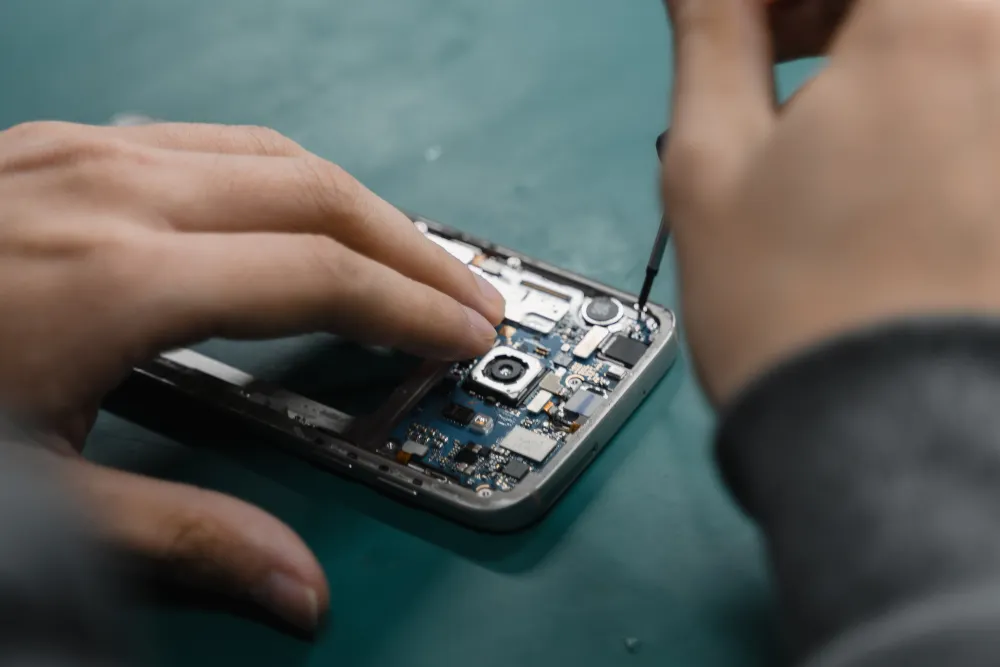
Phone batteries do not fail the way people expect. There is no warning light and nothing breaks. Capacity just quietly drains away over two or three years until one day the phone cannot get you to the evening.
This is the clearest sign, and the one people most often blame on software. A phone reporting 35% suddenly powers off, then comes back to life the moment you plug it in — sometimes reporting 30% again as though nothing happened.
What is happening is that the cell can no longer deliver peak current. Your phone briefly demands more power than the worn battery can supply — opening the camera does it, so does a cold morning — and the voltage sags far enough that the phone shuts down to protect itself. The percentage was never the problem.
Most manufacturers treat 80% of original capacity as the end of a battery's useful life, and both iOS and Android will tell you where you are. On iPhone: Settings › Battery › Battery Health & Charging. On most Android phones: Settings › Battery, or under device care.
Getting there usually takes 400 to 600 full charge cycles, which for most people is two to three years. If your phone is that age and you have never replaced the battery, the number will not surprise you.
A phone that is warm while navigating or gaming is normal. A phone that is warm sitting on a desk doing nothing is not. Ageing cells have higher internal resistance, and resistance turns into heat.
Heat is worth taking seriously for its own sake, because it accelerates the ageing you are already dealing with. A hot battery degrades faster, which makes it hotter, which degrades it faster still.
A healthy battery discharges smoothly. A worn one holds at 100% for an implausibly long time, then falls off a cliff — 100, 100, 100, 62, 40. The phone is losing its ability to estimate what is left, because the cell no longer behaves predictably.
You will notice this most on days when you actually watch the number, which is exactly the day you needed the phone to last.
Stop here. A screen lifting away from the frame at one edge, a back panel that no longer sits flat, a case that has started to rock on a table — these mean the cell is swelling.
A swelling battery is under internal pressure and is a genuine fire risk if it is punctured, which includes being pressed on through a lifting screen. Stop charging it, stop using it, and bring it in. Do not try to push the screen back down.
A phone battery replacement runs from $59 and takes about half an hour at the counter. A new mid-range phone starts around $500 and a flagship well past $1,000. For a device that is otherwise doing everything you need, that is not a close call.
The one thing worth checking before you commit is whether anything else is tired. If the screen is also cracked and the charging port is intermittent, the sums change — and we would rather tell you that than sell you a battery for a phone that needs three other things.
Free · 10 minutes · No appointment
Bring the phone in and we will read the actual battery health figure and run a load test in about ten minutes. It costs nothing and it settles the question.
Keep reading
The rice thing does not work. What you do in the first few minutes genuinely does.
Fans, dust, thermal paste and the software that quietly pins your CPU at 100%.

A dead HDMI port is a common, fixable fault, and it does not mean a new console.
Describe the fault and we will tell you what it takes to fix it, what it costs, and how long it will be away from you. The diagnostic is free whether or not you go ahead.
Walk-ins welcome · Mon–Fri 9–19 · Sat 10–17